


Family Budget Planner Spreadsheet | Annual & Monthly Budget | Excel & Google Sheets | Instant Download
- Andrew Johnson (New York)


PRODUCT DETAILS
Family Budget Planner — Excel & Google Sheets Edition
One spreadsheet. Every dollar. The whole year — finally under control.
Managing a family's finances isn't just about tracking groceries. It's mortgage payments, school lunches, car repairs, insurance, pet food, vacations, kids' activities, and a dozen other things that show up every single month. This spreadsheet gives your whole family's financial life one organized home — so nothing gets missed and nothing surprises you.
Works in Microsoft Excel AND Google Sheets. Instant digital download. Start today.
📋 WHAT'S INSIDE — 4 Sheets:
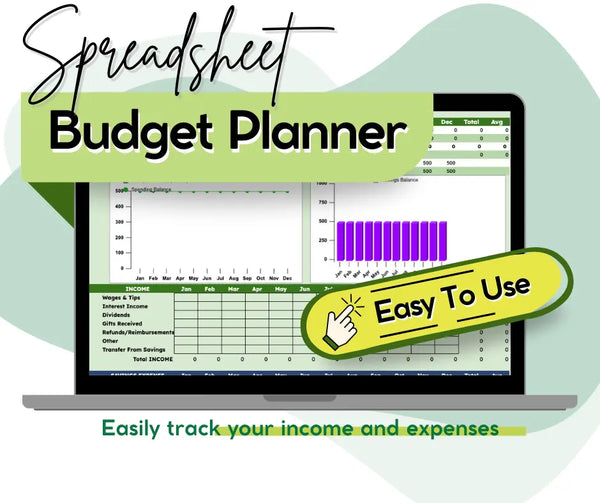
📊 Annual Budget Planner Your complete year-at-a-glance view. Track every category of income and expense across all 12 months with running totals, monthly averages, and automatic percentage breakdowns showing exactly where your money goes. Includes a Summary section showing your Total Income, Total Expenses, NET balance, Spending Balance, and Savings Balance updated month by month.
🗓️ Monthly Budget Planner A detailed month-by-month budget sheet with Budget vs. Actual vs. Difference columns for every category — so you can see in real time where you're on track and where you need to adjust. Organized into clear sections: Income, Adjustments, Bills, Daily Living, Debt, and Savings. Includes a Final Budget zero-sum calculator to make sure every dollar has a job.
📖 Sample Budget A fully filled-in example budget so you can see exactly how the spreadsheet works before you enter your own numbers. Takes the guesswork out of setup completely.
📘 Help & Instructions Tab A clear step-by-step guide walking you through every stage — from setting up your categories and entering beginning balances to defining your budget, tracking fixed vs. variable expenses, handling savings transfers, and analyzing your results.
💰 EXPENSE CATEGORIES COVERED — 15 Sections, 100+ Line Items:
Savings — Emergency Fund, Car Replacement, Retirement, Investments, Education Fund
Home — Mortgage/Rent, Electricity, Gas/Oil, Water, Phone, Internet, Cable, Furnishings, Lawn, Maintenance, Improvements
Daily Living — Groceries, Personal Supplies, Clothing, Cleaning Services, Dining Out, Dry Cleaning, Salon, Discretionary spending for 2 people
Children — Medical, Clothing, School Tuition, School Lunch, School Supplies, Babysitting, Toys & Games
Transportation — Vehicle Payments, Fuel, Bus/Taxi/Train, Repairs, Registration
Health — Doctor/Dentist, Medicine, Health Club, Emergency
Insurance — Auto, Health, Home/Rental, Life
Education — Tuition, Books, Music Lessons
Charity & Gifts — Gifts Given, Charitable Donations, Religious Donations
Obligations — Student Loans, Credit Card Debt, Other Loans, Alimony/Child Support, Taxes, Legal Fees
Business Expenses — Deductible and Non-Deductible Expenses
Entertainment — Activities, Books, Games, Hobbies, Media, Outdoor Recreation, Sports, Toys/Gadgets, Vacation/Travel
Pets — Food, Medical, Toys & Supplies
Subscriptions — Newspapers, Magazines, Dues, Club Memberships
Vacation — Travel, Lodging, Food, Rental Car, Entertainment
✨ WHY FAMILIES LOVE THIS PLANNER:
✔️ See your entire year in one view — no more month-by-month guessing
✔️ Know your real Spending Balance and Savings Balance every month
✔️ Budget vs. Actual tracking — catch overspending before it becomes a problem
✔️ Percentage breakdowns show exactly where your money is going
✔️ Fully customizable — rename any category to fit your family's life
✔️ Handles fixed AND variable expenses — rent, utilities, groceries, and irregular costs
✔️ Works for single income, dual income, and side hustle households
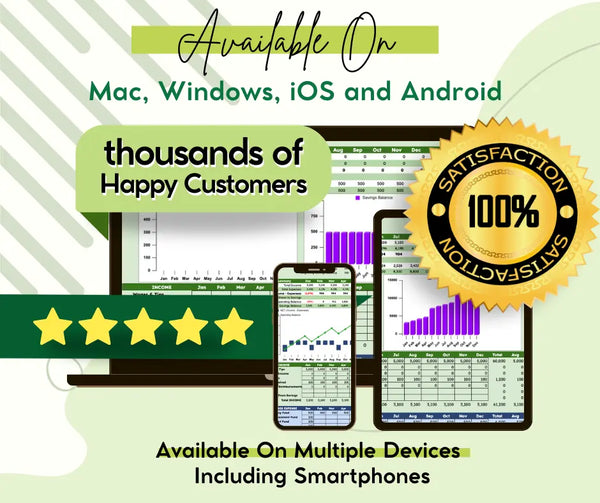
✔️ Works in Microsoft Excel AND Google Sheets — use on any device
✔️ Includes a sample budget so setup is fast and easy
✔️ Instant digital download — start budgeting today
📥 HOW IT WORKS:
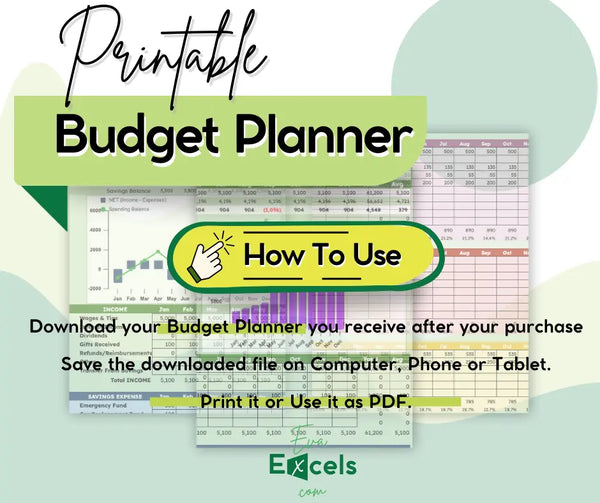
Purchase and receive your download link via email
Open in Microsoft Excel OR open Google Sheets → File → Make a Copy
Start on the Help tab — read the 4 simple setup steps
Customize your income and expense category labels
Enter your beginning spending and savings balances
Fill in your budget amounts for the year
Update monthly with actual spending and watch your financial picture get clearer every week
🎯 PERFECT FOR:
Families trying to get on the same page about money | Couples managing a shared household budget | Single parents tracking every dollar on one income | Anyone who feels like money just disappears every month | Households with kids, pets, cars, and all the expenses that come with real life | People who've tried budgeting apps and want something they actually own and control
📁 FILE DETAILS:
- Format: .xlsx — compatible with Microsoft Excel AND Google Sheets
- 4 tabs: Annual Budget, Monthly Budget, Sample Budget, Help & Instructions
- Instant digital download — no waiting, no shipping
- Personal use only
- © EvaExcels.com
REVIEWS
REFUND POLICY
If you are facing an issue with your product please reach out to me within 24 hrs of your purchase stating your issues and I will help make it right for you!
For some orders it usually takes 1 hour to process the payment from your bank, so please wait for 1-hour if you still didn't get the files please email me and I will reply in less than 24 hrs.
The products are exactly as described in the product descriptions and advertised and I don't do additional custom work on the sheets to meet your requirements, so, please read the product descriptions, if the sheets are for you then feel free to order (I'm not responsible if you fail to do so).
We kindly remind you that in cases of refunds, we will have to review your request first and you are only allowed to request a refund for a maximum of one product if you purchase more than 1 product (This is a measure to prevent fraudulent purchase behavior) Please note that bundle offers are not counted as a single product.
If ever you're facing issues with your products, please feel free to reach out to me at support@evaexcels.com to state your concerns and reasons, and I will help!
FAQ's
Does this work with Google Sheets or only Microsoft Excel?
We have a complicated budget — two incomes, kids, a car payment, pets. Will this cover everything?
I've never budgeted before. Is this too advanced for me?
Can I use this to plan the whole year in advance, or is it just for tracking month to month?
What if I want to start budgeting mid-year — does it have to start in January?
RECOMMENDED PRODUCTS
RECENTLY VIEWED PRODUCTS
100% SATISFACTION GUARANTEEE
Having issues? Reach out to me for help!
FREE RETURNS
30-days free return policy.
SECURED PAYMENTS
We accept all credit cards.
24/7 HELP CENTER
Dedicated 24/7 support